


A natural part of a career in the travel industry is managing the moving parts and shifting responsibilities that advisors face daily. As business professionals, content creators and customer service specialists, advisors wear many hats to meet their clients’ needs. These ongoing duties require a high level of organization from the travel pro, and sometimes, they need a little assistance to manage it all.
Fortunately, new technologies are digitizing nearly every aspect of our lives, and several online platforms can help advisors stay on top of their tasks too. From automated scheduling to shared team to-do lists, here are a few standout resources travel professionals can benefit from.
Calendly – Automated Scheduling
Booking appointments is a repetitive but essential task for advisors. Calendly helps simplify this process by syncing with Outlook, Google or Microsoft Office calendars, allowing clients to view and book available time slots without the advisor manually inputting them.
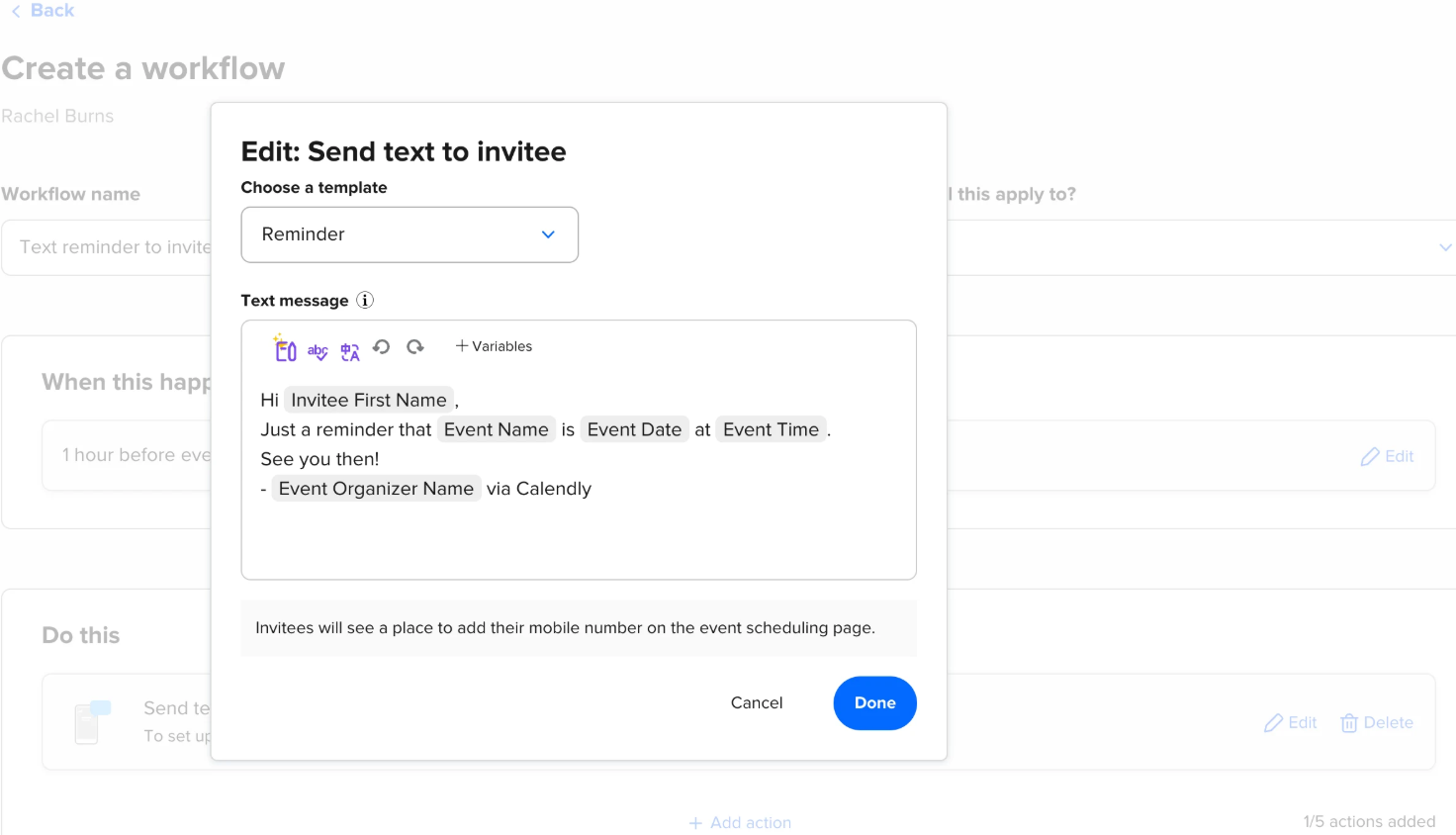
Once the meeting is set, Calendly also connects with video conferencing platforms like Zoom, Webex and GoTo Meeting to automatically generate and send out appointment links and location details. Automated reminders are another perk included in the free version of the app, sending notices to advisors and clients about the booking in advance.
If travel pros want to set up a fail-safe option to ensure clients attend their meetings, advisors can also add payment options through PayPal or Stripe to the appointment confirmation, acting as an integrated cancellation policy.
Whether or not all the extra features are utilized, implementing a resource like Calendly is a great way to provide clients with convenient booking options. According to data from TechReport, a technology review and news site, 40% of appointments are scheduled by clients outside of regular business hours, meaning that online resources accessible via phone or computer are a major appeal to prospective travelers.
Trello – Project Management
Organization in the travel industry extends beyond the advisor-client relationship — internal teamwork matters too. Trello, categorized as a project management tool, is one option, supporting both communication and task organization among colleagues.
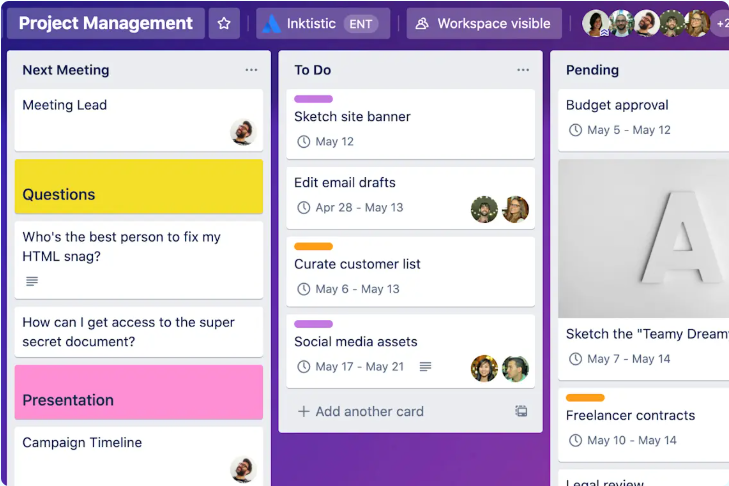
When utilizing the free software, users will find a homepage of sorts, where they can customize various boards. Advisors can add notes, to-do lists, checklists, due dates and attachments to these boards, acting as a visual representation of current projects and future assignments to keep users on track. Trello also syncs with platforms such as Slack, Outlook, Gmail and Confluence, showing users their top tasks and relevant deadlines to ensure that no assignment goes missing.
Another favorite component of Trello is its ability to collaborate. The basic version of the software allows for up to 10 workspace members to be added to a team, enabling real-time updates and shared progress tracking on assignments. In an online workspace where teams can be spread out over several time zones, a management tool like Trello ensures that each member is on the same page with their tasks, enhancing the organization’s overall efficiency.

Help Scout – Customer Service Support
Customer support is an important part of building long-lasting relationships with travelers, and Help Scout is a great tool to assist with email efficiency. When users receive client messages, they can tag and categorize conversations based on customizable preset labels. This feature is great for organizing message content so that any team member responding to the inquiry knows what kind of reply is required. Additionally, a saved response library is available, providing response templates to guarantee clients receive consistent feedback.
Other key features include collision detection, a safety-net option preventing multiple team members from responding to the same client, and knowledge bases, a self-service center answering FAQs to minimize repetitive customer inquiries.
As is the case with many apps, Help Scout does offer a free plan, though it’s limited in what it can offer. Users have access to one shared inbox with an unlimited number of users, up to 100 tags for conversation categorization, up to 10 saved replies and a limit of 50 contacts (clients) per monthly cycle. While the basic version can work well for smaller teams, upgrading might be a worthwhile investment depending on the advisors’ needs.
Originally appeared in the Fall 2025 issue of The Compass magazine
About the Author






comments